What Are the Most Common Firewall Misconfigurations Found During VAPT Audits?
Firewalls are one of the most important security tools in any organization's network. They act like a security guard, deciding which traffic is allowed to enter or leave a network. However, a firewall is only effective if it is configured correctly. Even a small mistake in the configuration can create security gaps that attackers can exploit.
During a Vulnerability Assessment and Penetration Testing (VAPT) audit, our security team consistently finds the same handful of firewall misconfigurations across telecom, retail, and BFSI clients — regardless of the vendor (Palo Alto, Fortinet, Cisco ASA, or Sophos). Most of these issues aren't caused by bad technology. They're caused by human error, outdated rules carried over from old projects, or the simple lack of a regular review cycle.
In this blog, we'll walk through the most common firewall misconfigurations found during VAPT audits, why each one matters, how it typically gets exploited, and how to fix it — based on patterns we've seen firsthand in real engagements.
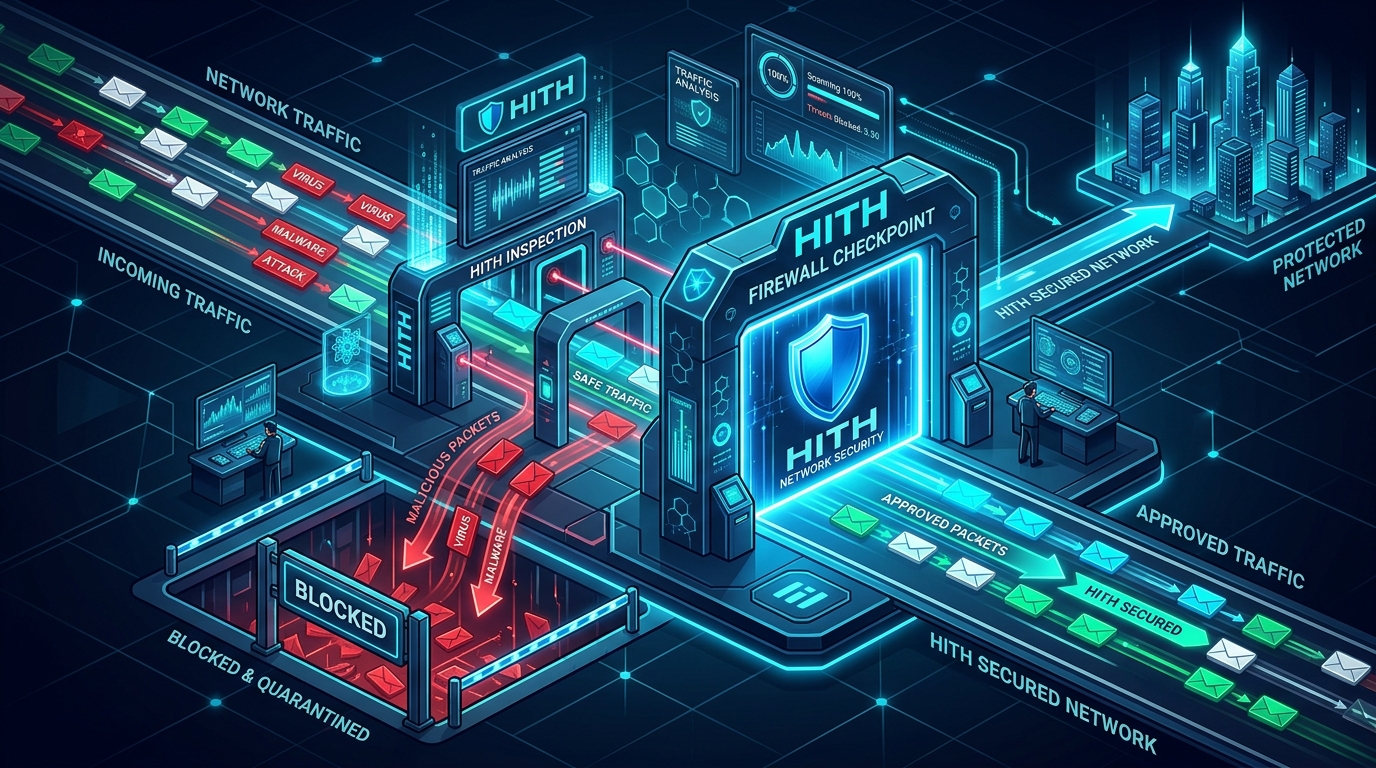
What Is a Firewall?
A firewall is a network security device or software that monitors incoming and outgoing network traffic. It follows a set of predefined security rules to allow or block traffic.
Think of a firewall as a security checkpoint at the entrance of a building. Only authorized people are allowed to enter, while unauthorized visitors are stopped. Similarly, a firewall only allows trusted network traffic and blocks suspicious or unwanted connections.
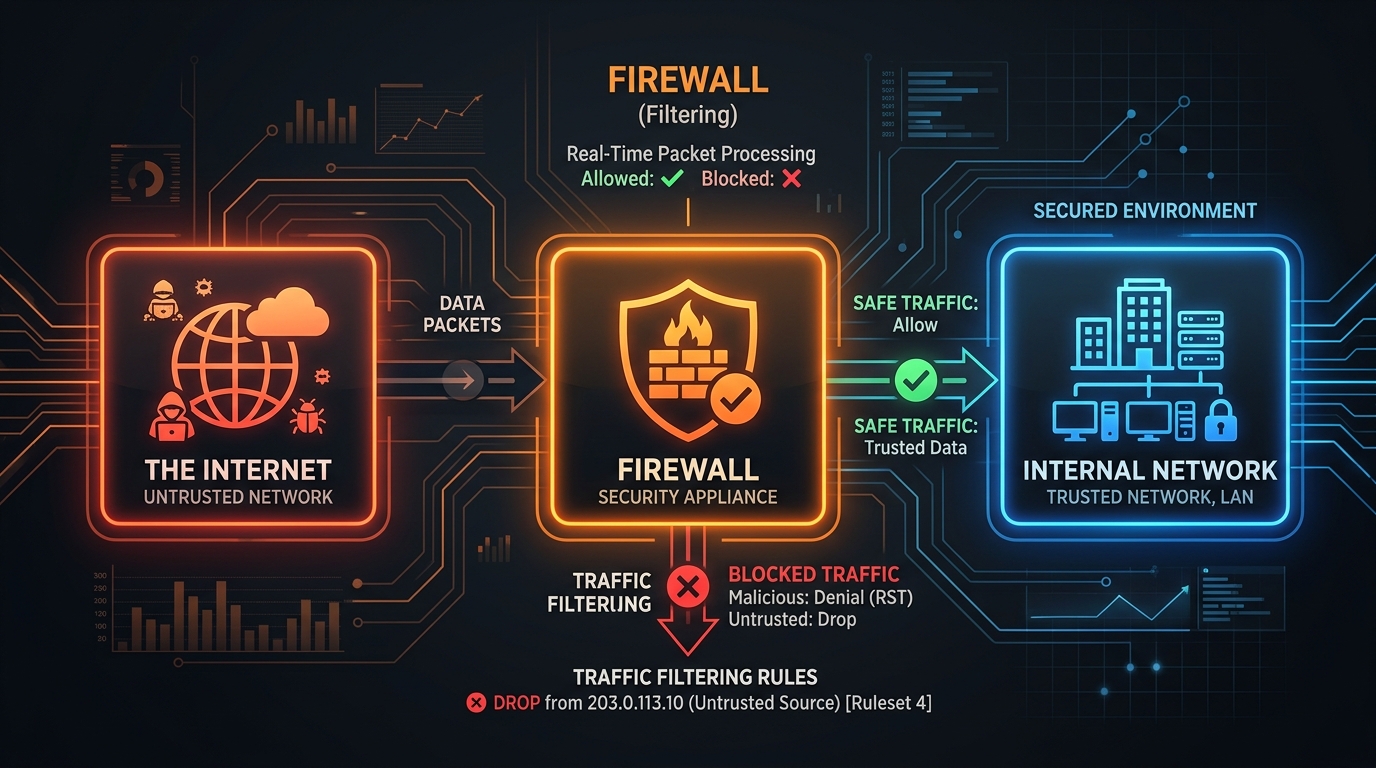
Why Do Firewall Misconfigurations Matter?
A firewall can provide excellent protection, but only when it is configured properly. If the rules are incorrect or outdated, attackers may gain unauthorized access to internal systems, sensitive data, or business applications.
This is why firewall configuration is one of the first things our testers review in a VAPT engagement, alongside external attack surface mapping (see our VAPT services page for how we scope this). A misconfigured firewall can undo the value of every other security control an organization has invested in.
Common Firewall Misconfigurations Found During VAPT Audits
1. Allowing Any-to-Any Traffic
One of the most common mistakes is creating rules that allow all traffic from any source to any destination:
Source: Any Destination: Any Port: Any Action: AllowThis rule practically removes the firewall's protection because everything is allowed. In one retail-sector audit we ran, we found an Any-Any rule that had been added months earlier during a POS system migration and simply never removed once the migration was complete — leaving the internal network reachable from a vendor's remote support IP range long after the project ended.
CIS Firewall Benchmark guidance is explicit on this: rulesets should follow a default-deny posture, with explicit allow rules scoped to specific source, destination, and port combinations — never blanket "any" rules on production interfaces.
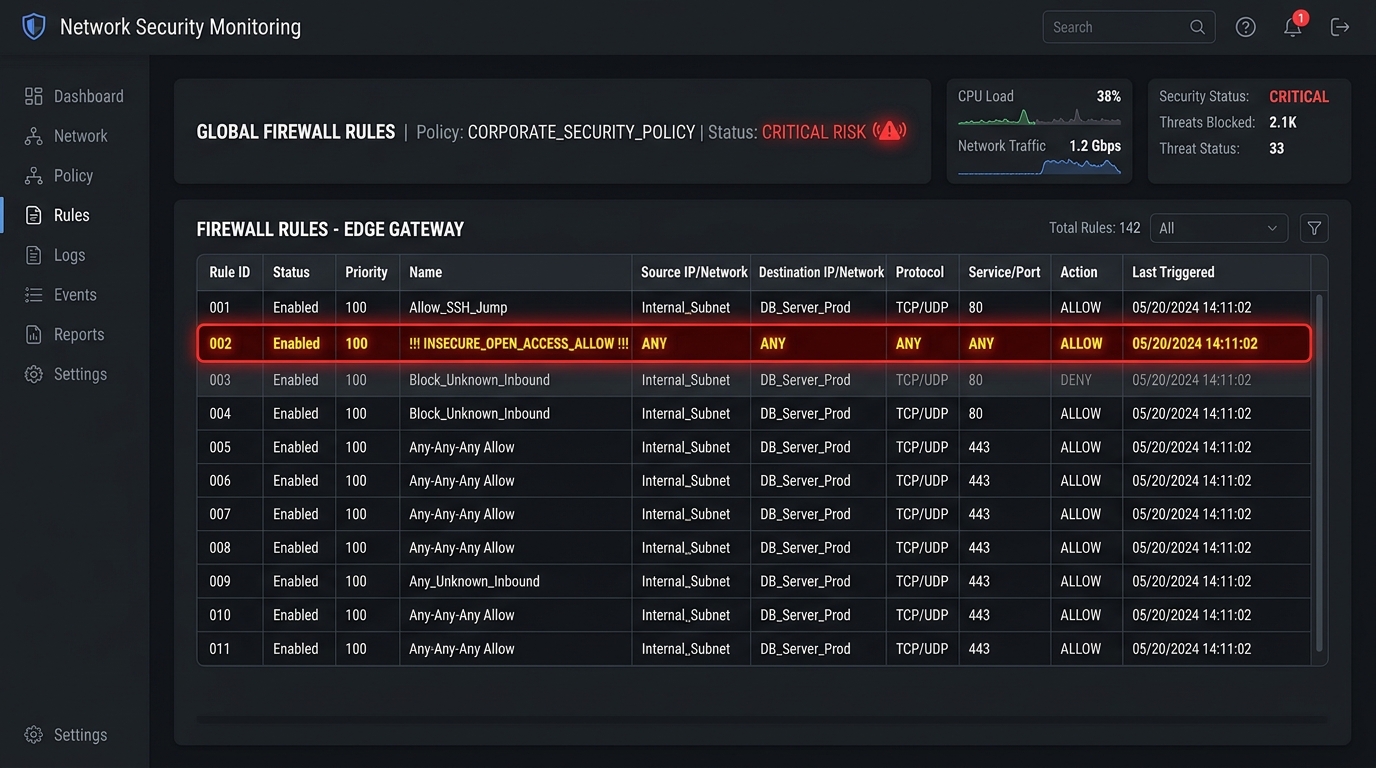
2. Unused or Outdated Firewall Rules
Over time, organizations add new firewall rules for different projects and applications. When those projects end, the rules often remain.
These unnecessary rules increase complexity and may accidentally provide attackers with access paths that are no longer needed. We regularly find rules referencing decommissioned servers or IP ranges that were reassigned to a different vendor — meaning the "trusted" rule now unintentionally trusts whoever holds that IP today.
Regular firewall rule reviews (quarterly at minimum, per PCI-DSS Requirement 1.2.1 for cardholder data environments) help catch and remove these outdated entries before they become a liability.
3. Open Unnecessary Ports
Some ports are opened during software installation or testing and remain open even after they are no longer required.
For example, services like Telnet (port 23), FTP (port 21), or unused web ports may remain accessible from the internet. Every open port increases the attack surface, giving attackers more opportunities to find vulnerabilities — Telnet in particular is still flagged in a significant share of the external scans we run, despite being deprecated for over a decade due to unencrypted credential transmission.
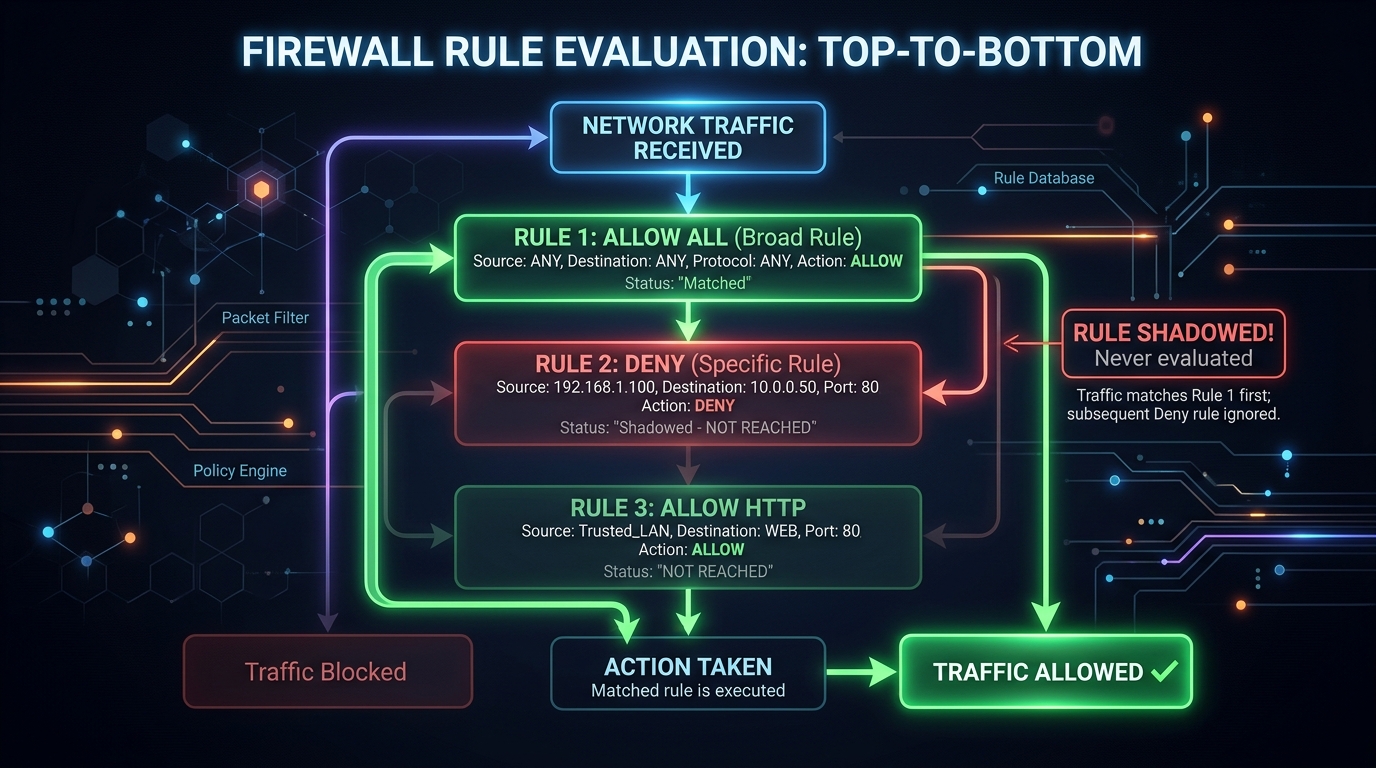
4. Incorrect Rule Order
Firewalls process rules top-down, in a specific order. If a broad "Allow" rule appears before a specific "Deny" rule, the deny rule may never be evaluated — the traffic matches the allow rule first and the deny rule is effectively dead code.
This is a subtle but common finding: administrators add a new deny rule to block a specific threat, place it at the bottom of the ruleset for convenience, and the rule never actually takes effect because a broader allow rule above it already matched the traffic.
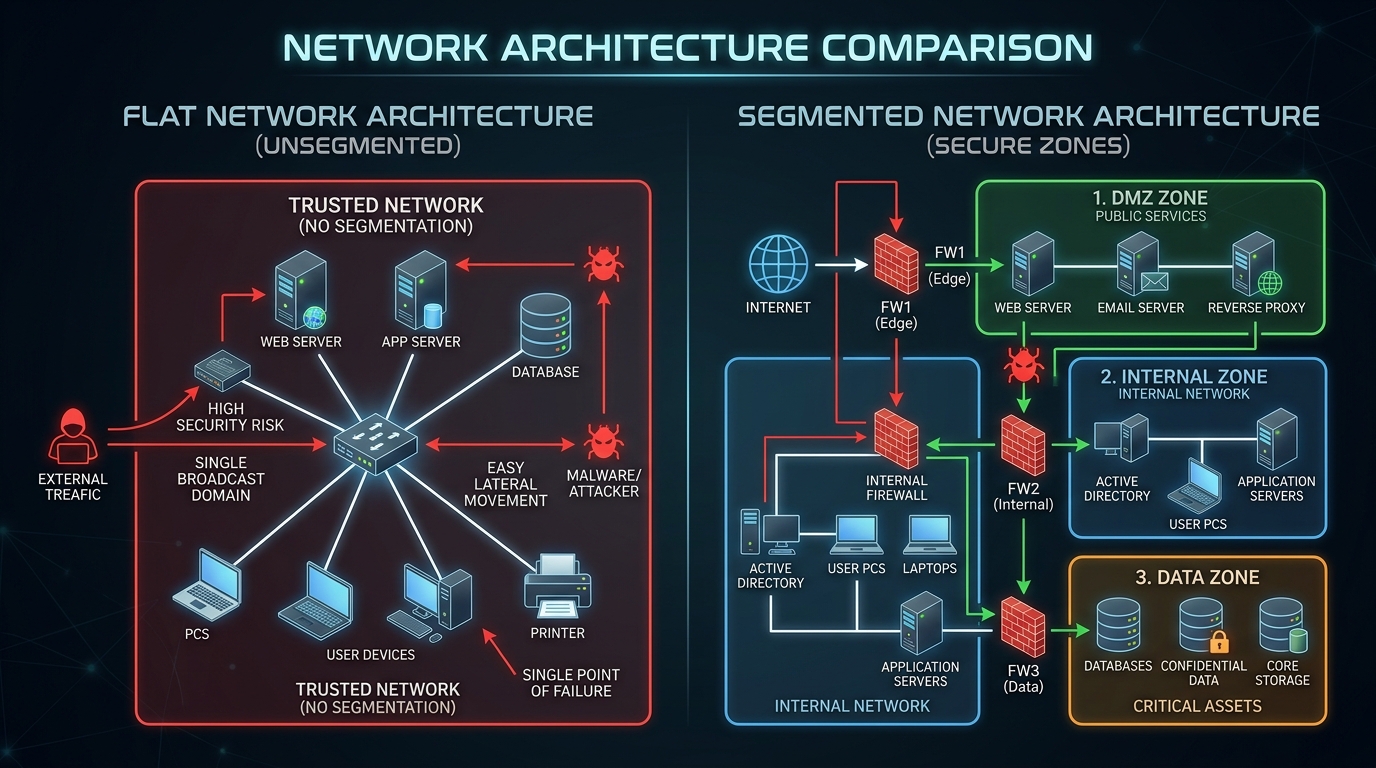
5. Poor Network Segmentation
Many organizations fail to separate important systems from general user networks.
For example, database servers, application servers, and employee laptops may all be placed in the same network segment (flat network). If one system is compromised — say, an employee laptop via phishing — attackers can move laterally to the database tier with no firewall boundary standing in the way.
NIST SP 800-41 recommends segmenting networks into security zones (DMZ, internal, management, data) with firewall-enforced boundaries between each zone, not just at the network perimeter.
6. Weak Remote Access Rules
Remote access is essential for many businesses, but allowing unrestricted access from the internet is dangerous. Common findings include:
- VPN gateways accessible from any source IP, with no geo or IP allowlisting
- Administrative interfaces (SSH, RDP, firewall management UI) exposed directly to the public internet
- No IP address restrictions on partner or vendor access rules
7. Missing Logging and Monitoring
Some firewalls block malicious traffic but do not record the events, or logs are enabled but never forwarded to a SIEM for review.
Without logs, security teams cannot investigate incidents, establish a timeline during incident response, or detect suspicious activity before it escalates. Firewall logging is also a baseline requirement under most compliance frameworks, including PCI-DSS and ISO 27001 Annex A.
8. Default or Weak Administrative Credentials
Some firewall administrators continue using default usernames and passwords, or credentials that are shared across the team and never rotated.
If attackers obtain these credentials — through phishing, credential stuffing, or simply guessing vendor defaults — they can change firewall settings, disable security rules, or create new access paths without triggering any alert.
How Can Organizations Prevent Firewall Misconfigurations?
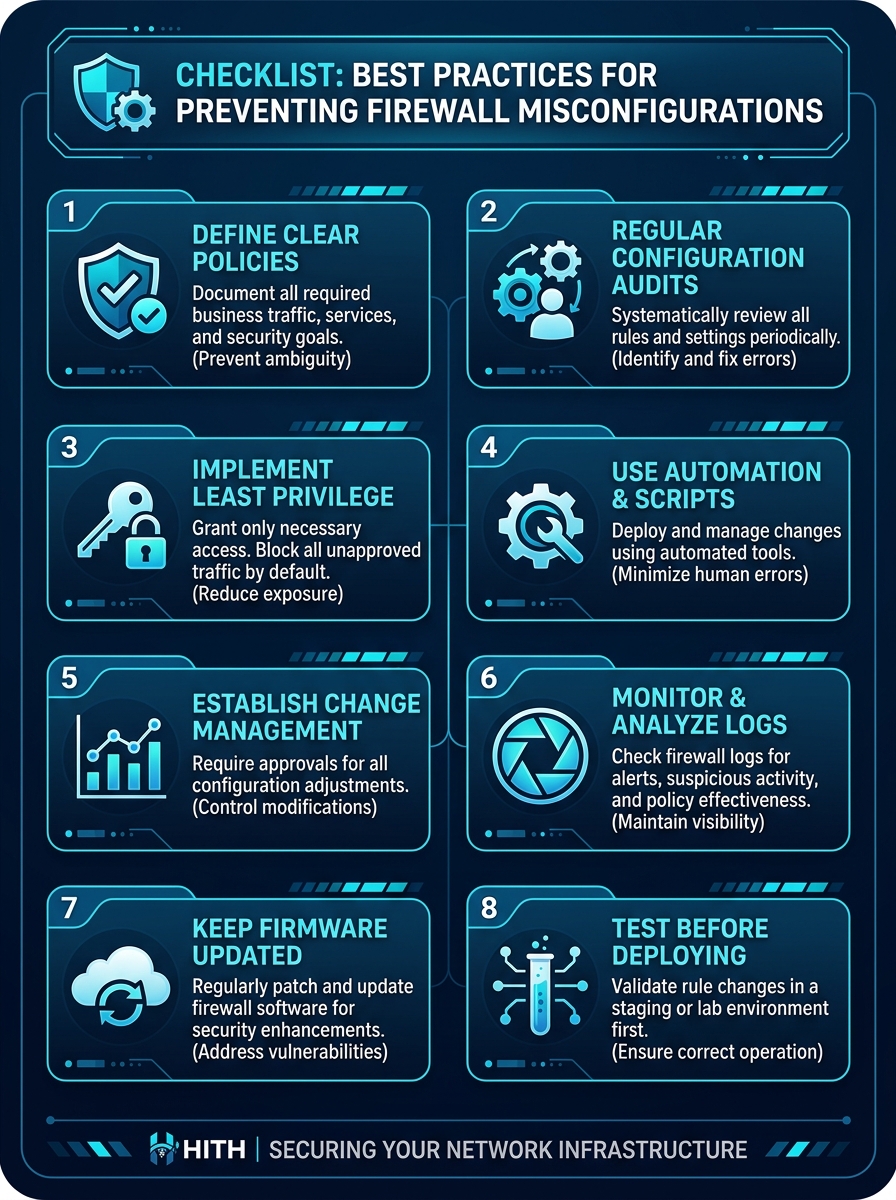
Organizations can reduce firewall-related risks by following a few best practices:
- Review firewall rules on a fixed schedule (quarterly minimum, monthly for regulated environments)
- Remove unused and outdated rules as part of every change-management cycle
- Follow the principle of least privilege — scope every rule to specific sources, destinations, and ports
- Close unnecessary ports and disable legacy protocols like Telnet and FTP
- Enable logging and forward logs to a SIEM for continuous monitoring
- Enforce strong administrator passwords and multi-factor authentication on management access
- Perform periodic VAPT assessments to catch drift between reviews
Frequently Asked Questions
Conclusion
Firewalls remain one of the strongest layers of network security, but they are only as effective as their configuration. Across the VAPT audits we run, the same issues keep surfacing: overly permissive rules, open legacy ports, poor segmentation, weak remote access controls, and outdated policies nobody remembered to clean up.
Regular firewall reviews, continuous monitoring, and periodic VAPT assessments help organizations find and fix these weaknesses before an attacker does. If you want a firewall configuration review as part of a broader penetration test, get in touch with our VAPT team to scope an assessment.